
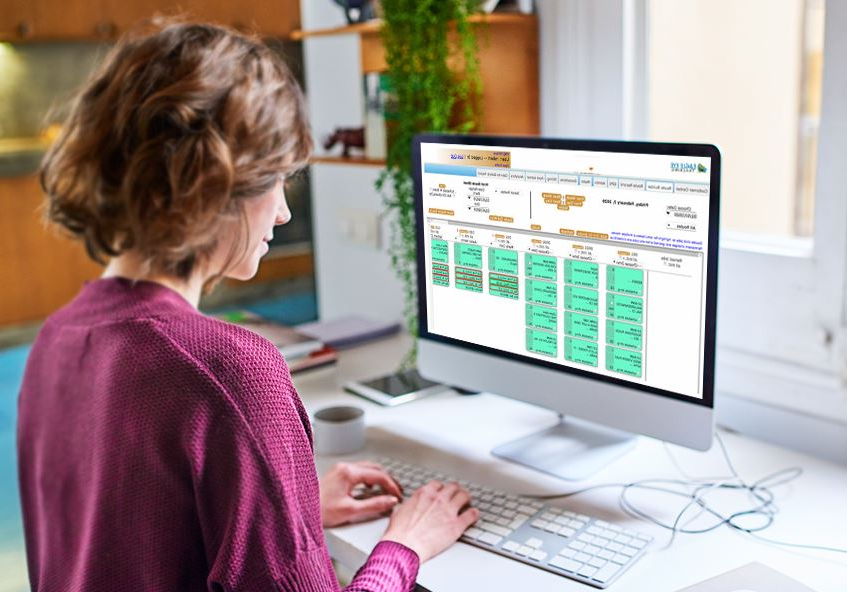
If you run a street sweeping company, software isn’t a “nice-to-have.” It’s how you protect margin, reduce dispute stress, and get paid faster—without rebuilding routes in your head or chasing down paper logs after a long night.
The right street sweeping software should help you run a clean workflow:

What Really is Street Sweeping Software?
Street sweeping software is a fleet + field-service platform that helps contractors schedule jobs, build routes, dispatch drivers, track progress via GPS, store historical route records as proof of service, and export billing- and payroll-ready data.
What Are You Actually Buying?
Many “fleet GPS” tools show dots on a map, but street sweeping needs more than that. Contractor-grade Street sweeping software must answer these business-critical questions fast:
- Did we service this property on the right night?
- What areas were blocked, delayed, or partially completed—and why?
- Can we prove completion without an office scramble?
- Can we turn routes into invoices without manual cleanup?
Eagle Eye’s street sweeping platform is positioned around paperless dispatch, route building, route records (historical verification), and billing integration—the pieces contractors typically need to reduce disputes and streamline billing. (Exact workflows and outcomes vary by operation.)
That definition isn’t theoretical—it’s rooted in decades of field operations. Learn the story behind the platform from Mike Lucht.
The Contractor Checklist: 9 Things to Evaluate Before You Buy
1. Work orders that match real service requirements
Sweeping isn’t just “job done.” Your work orders should capture service details like:
- Site notes (gates, access windows, trouble spots)
- Frequency (nightly, weekly, monthly)
- Special instructions (dock lanes, medians, front-of-store, construction areas)
A good system lets you create work orders that reflect what the customer expects—so operators aren’t guessing at 1:00 a.m.
2. Route builder that’s fast to update
Routes change constantly. Route planning breaks down when your “ideal” route meets real conditions, like:
- A property adds new areas or notes mid-week
- A truck goes down, and you have to rebalance routes
- A driver calls out, and you need a quick reassignment
- Traffic, weather, or blocked lanes force changes
Look for route-building tools that make edits quick and straightforward—because the real goal isn’t a “perfect route.” It’s a route you can adjust in less than a minute without disrupting the rest of the night.
3. Paperless dispatch to a phone/tablet
Paperless dispatch should mean:
- Drivers receive assignments and instructions on a device
- Updates can be pushed without phone-tag
- Notes, exceptions, and completion are captured consistently
The goal is to minimize paper handling and manual re-entry by approximately 50% by keeping dispatch, updates, and job notes fully digital.
4. Real-time route builder visibility that supports smarter decisions
In street sweeping, you don’t want to find out after the shift that a route blew up. A perfect street sweeping software prevents problems, not just reports them. Look for real-time visibility into:
- Vehicle location tracking
- Route progress tracking
- Rerouting and rescheduling
Eagle Eye’s Location Monitoring provides 100% visibility into driver location and route progress and supports rerouting/rescheduling to improve efficiency and meet customer expectations. This lets you see the entire operation in less than 10 seconds.
5. Proof of service you can pull fast
Disputes aren’t rare in sweeping—they’re part of the business. Your software should make it easy to retrieve:
- Route history by customer/site/date
- Time windows and service activity patterns
- Notes or documented exceptions (blocked access, parked cars, weather)
If your system can’t display this quickly, in an average of 10 seconds, during a demo, it will be even worse on your busiest mornings.
6. Route record + billing should be connected
Great systems don’t pretend every route is perfect. They help you document reality, like:
- Delays
- Partial completion
- Blocked areas
- Missed segments with a reason
That’s what protects you when the customer says, “I didn’t see the truck.”
7. Billing export and bookkeeping flexibility
The biggest leak in sweeping is when the field completes work, but the office can’t confidently bill it. Look for a workflow that:
- Reviews route/job outputs before billing
- Keeps billing tied to completed, verifiable work
- Exports in formats your accounting team can use
The goal is to establish a structured review process that cuts invoice corrections and decreases billing lag by 50%. However, outcomes vary by workflow discipline and contract complexity.
8. Geofencing + performance reporting
Geofencing and reporting should turn GPS data into operational proof—not just map history. Your system should make it easy to see:
- Site-level activity (entered/exited, time on site)
- Route progress and stop patterns (where time is being spent)
- Idle and travel time (time off route vs. time on job)
- Selective exports (by customer, timeframe, route group, etc.)
- Different billing cycles (weekly/biweekly/monthly)
- Clean handoff to QuickBooks or your bookkeeping process
The goal is to confirm service, identify issues early, and coach drivers with clear, defensible data.
9. Reporting that helps you run the business and support growth
Reporting should do more than collect data—it should help you run today’s operation and scale tomorrows. It should help answer:
- Which routes consistently run long?
- Where are stops happening most often?
- Which crews are efficient without sacrificing quality?
- Are we meeting contract expectations over time?
The real test is whether it can scale from “we’re busy” to “we’re expanding” without collapsing your admin team. Operational reporting becomes more reliable as your team follows consistent route workflows and documents exceptions consistently.
The 10 Demo Questions Contractors Should Ask
- Show proof of service for one address on a specific date.
- How do you search historical route records by customer/route/driver/date?
- How do we build and change routes quickly when a client adds stops?
- Can you dispatch routes to phones/tablets?
- How do we see route progress in real time?
- How do you document exceptions (blocked lots, weather delays, access issues)?
- How do route records flow into billing?
- What does billing export look like—especially if we use QuickBooks or another system?
- What reports help us benchmark productivity (by route/driver/vehicle)?
- What’s the onboarding plan for dispatchers + drivers (time to go live)?
Common Mistakes When Buying Sweeping Software
- Buying GPS tracking only and expecting proof-of-service outputs (you’ll still fight disputes).
- No route record archive that’s easy to search (complaints become fire drills).
- Billing isn’t tied to route review, so invoices become manual and error-prone.
- No paperless dispatch, so changes don’t reach drivers cleanly.
Minimum “Contractor-Grade” Requirements
A vendor should meet these baseline needs:
- Work orders + customer service requirements (Job Center concept)
- Drag-and-drop route building for optimized schedules
- Paperless dispatch to mobile devices
- Real-time route progress monitoring
- Route Record / historical verification for proof-of-service
- Billing export/integration so invoices match operational reality
Why Contractors Choose Eagle Eye Tracking for Street Sweeping
If your goal is to run a tighter operation with less admin friction, Eagle Eye Tracking is built around the contractor workflow:
- Job Center for work orders and service requirements
- Route Builder with drag-and-drop route building
- Paperless dispatch to mobile devices
- Location Monitoring to see driver location + route progress
- Route Record for historical review and organization of completed jobs
FAQs
What is “street sweeping software,” exactly?
It’s a contractor-focused fleet + field-service platform that helps you dispatch routes to drivers, track progress via GPS, store route history as proof of service, and push clean job data into billing/payroll exports.
Can I use regular GPS tracking instead of street sweeping software?
Basic GPS shows “dots on a map,” but sweeping operations typically need route records, proof-of-service outputs, exception documentation, and billing workflows tied to completed work.
What should a work order include for sweeping (beyond a job name)?
Look for site notes (gates, access windows, trouble spots), frequency, and special instructions (dock lanes, medians, front-of-store, construction areas), so drivers aren’t guessing at 1:00 a.m.
How do I know if a route builder is “contractor-grade”?
It should be fast to update—drag-and-drop changes when stops get added mid-week, equipment goes down, you’re short a driver, or traffic/site conditions force changes.
What does “paperless dispatch” actually mean in daily operations?
Routes and stop instructions should go straight to a driver’s phone/tablet, with updates pushed digitally (no reprinting, no calling drivers to re-explain changes).
What proof of service should I expect the system to produce?
At minimum: timestamped route history, searchable records by route/date/customer, and exportable files you can send to resolve disputes quickly.
How should route records connect to billing?
Ideally, invoices are driven by reviewed route records (not manual re-entry), reducing invoice errors, billing lag, and dispute back-and-forth.
Do I need QuickBooks integration—and what should I ask about it?
Ask exactly how billing data exports (and whether you can export selectively). The key is flexibility, so invoices match operational reality and your billing schedule.
What operational reporting matters most for sweeping contractors?
Geofencing + performance reporting that helps you compare routes/crews, coach efficiency, and protect contract performance (not just raw location pings).
What’s the fastest way to evaluate vendors on a demo?
Use direct tasks: pull proof of service for an address/date, search historical route records, show route edits, show live route progress, document exceptions, and walk through billing export.
Affiliations and Partners

Our network of satisfied clients strengthens our commitment to excellence.

Transform Your Sweeping Operations Now!
0 Comments