
Power Street Sweeping Job Center Management
JOB CENTER MANAGEMENT
Job Center Management is Eagle Eye Tracking’s centralized job order command center for street sweeping, built to manage every job from creation to closeout with geo-fenced job setup, paperless dispatch, field-verified service logs, job-by-job reporting, and invoicing workflows tied directly to what happened on route.
It keeps scheduling, proof of service, complaint response, and billing aligned with real-world activity, so you can verify completion, resolve disputes faster, and review job profitability with confidence.
Proof-Ready Job Outputs
Proof-Ready Job Outputs are the audit-ready records Job Center Management produces for each work order—linking geo-fenced service areas, timestamped activity, and closeout exceptions so you can verify completion, explain deviations, and back up billing and complaint responses with route-linked proof for faster dispute resolution, cleaner audits, and invoices that match what was actually delivered.

What concrete records does Job Center Management generate?
Job Center Management creates a single, proof-ready job record for every work order, combining geo-fenced scope, timestamped activity, and closeout exceptions into an audit-ready file. You can verify where the truck worked, confirm the job stayed in-scope, explain deviations (blocked zones, weather, parked cars), and back up invoices with route-linked evidence.
Geo-fenced job/service zones — define the exact area to be swept so crews know the boundaries, and you can confirm the job stayed in-scope.
Timestamped service logs — show when the service started/stopped and where the truck was during the job for clear proof of performance.
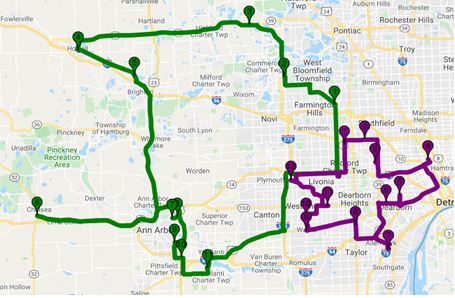

Job closeout summaries — capture completion details, notes, and exceptions (missed areas, blocked zones, weather, parked cars) so “why” is documented.
Job-by-job reports (audit-ready) — a clean job record you can share with municipalities, HOAs, or property managers when they need verification.
Invoice-ready job records tied to route activity — supports billing with field activity so invoices match what was actually delivered and disputes drop
Job profitability review (where available) — helps you spot which jobs protect margin and which ones burn time, so you can price and schedule smarter.

You can’t manage what you can’t see—
Eagle Eye Tracking makes your entire operation visible.
How the Job Center Fixes Your Pain Points
Common Operational Failure Points
- Job instructions live in texts, emails, or spreadsheets (not in the job record)
- Boundaries are unclear, so “swept vs not swept” becomes subjective
- Dispatch changes aren’t synchronized across teams
- Service verification is slow, causing complaints to escalate
- Billing is reconstructed after the fact (and disputes follow)
How Job Center Fixes It
- Makes the job record the source of truth
- Defines clear job boundaries with a geo-fenced setup
- Keeps dispatch changes synchronized
- Speeds up service verification with field-linked proof
- Connects billing to real route activity
- Unifies setup → scheduling → dispatch → verification → reporting → billing into one connected workflow
Core Capabilities of Job Center
Create & Manage Jobs as the Operational “Source of Truth”.
- Create work orders and manage job actions from initiation through performance analysis.
- Store job scope, job notes, and job-level details that dispatch and drivers can rely on.
Geo-Fenced Job Setup for Consistent “Where Work Counts”.
- Define geo-fenced job boundaries so a location’s perimeter is consistent across teams.
- Use boundaries to support clearer service verification and job event documentation.
Drag-and-Drop Scheduling + Paperless Dispatch
- Schedule routes with drag-and-drop workflows.
- Dispatch job and driving instructions to smart devices.
- Provide map-based and audible directions for fewer wrong turns.
Service Verification That Doesn’t Require Guesswork
- Support remote access to service verification using arrival and departure times.
- Maintain electronic records for proposals, service details, service reports, and invoices.
Connected Billing Workflow (Operations → Billing)
- Route Record captures the event details that matter for billing and documentation:
- Start time, end time, total event time
- Service description
- UOM (unit of measure), rate, and invoice totals
- Supports bookkeeping systems, including QuickBooks.
How We Make Your Operations Easy
(1)
Build the Job
(2)
Schedule & Dispatch
(3)
Execute & Monitor
(4)
Capture the Service Event
(5)
Report & Review
(6)
Invoice & Bill
The Benefits You’ll Get
For Management
- Audit-ready job documentation: Every job is captured with timestamped service logs, route history, and geo-fenced service zones, enabling fast complaint-resolution evidence and municipal audit readiness.
- Profit + performance visibility: Compare jobs with job-specific standards using route progress monitoring, curb miles completed, and productivity benchmarking (including idle vs sweeping time ratios) to spot adjustments that protect margin.
For Operators
- Clear daily assignments: Operators receive job-specific work orders, notes, and fulfillment expectations, reducing confusion, miscommunication, and missed steps across the shift.
- Better routing + fewer misses: Built-in routing guidance helps optimize travel to/from sites and supports missed area detection by keeping operators aligned to the planned route and scope.
For Customers
- Service verification they can trust: Customers can confirm arrival/departure times and completed work with easy-to-share service records backed by the job timeline.
- All records, always accessible: Proposals, performance details, service reports, and invoices stay organized in a single electronic history, enabling simple retrieval for billing, renewals, and reporting.



The Global Standards
When you’re managing multiple routes, drivers, and service zones, the fastest way to reduce “gray area” arguments is to standardize what the system considers excessive. Job Center Management supports global thresholds and deviation bands, so performance reviews, customer questions, and coaching conversations are based on consistent rules rather than opinions.
Global Route Standards
Set global route standards so your whole team uses the same operational definition of “excessive” across routes, operators, and customers. These thresholds help standardize productivity expectations, reduce gray areas in coaching, and create cleaner, more consistent reporting when questions come in.
Example global thresholds (configurable by your team):
- Off-job stop time: 2 minutes
- On-job stop time: 2 minutes
- Excessive sweep speed: 10 mph
- Excessive travel speed: 70 mph
- Excessive idle time: 10 minutes
Global Job Deviation Standards
Job Center Management also supports global job deviation standards to flag jobs that fall outside expected performance ranges. Instead of reacting to every outlier manually, you can standardize deviation bands that make it easier to spot drift, investigate issues, and fine-tune route planning and pricing.
Example deviation bands (configurable by your team):
- Hour Meter (Elapsed Time): -10% / +15%
- Sweep Miles: -10% / +15%
- GB Time (Left GB Down): -10% / +15%
- Sweep Time (Head Down): -10% / +15%
- Handwork Time (Driver out of Seat): -10% / +15%
- Total Job Time: -10% / +15%